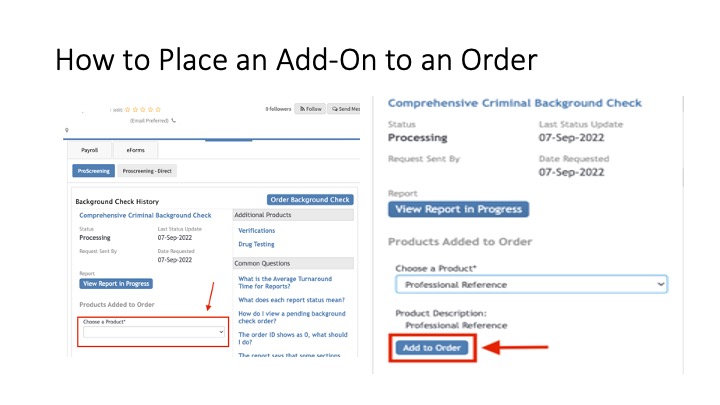
Go to the background check tab > click choose a product > choose the product > click add to order. Please be aware that it will show pending if our team hasn't added it and it will show complete once our team as added it to the report. It is possible that it shows completed and you do not see it on the report. This means that there is some information missing. Our Support team will have reached out to you letting you know what is missing so we can get this added for you.
